Profit and crew numbers for Jobber
See which jobs actually make you money.
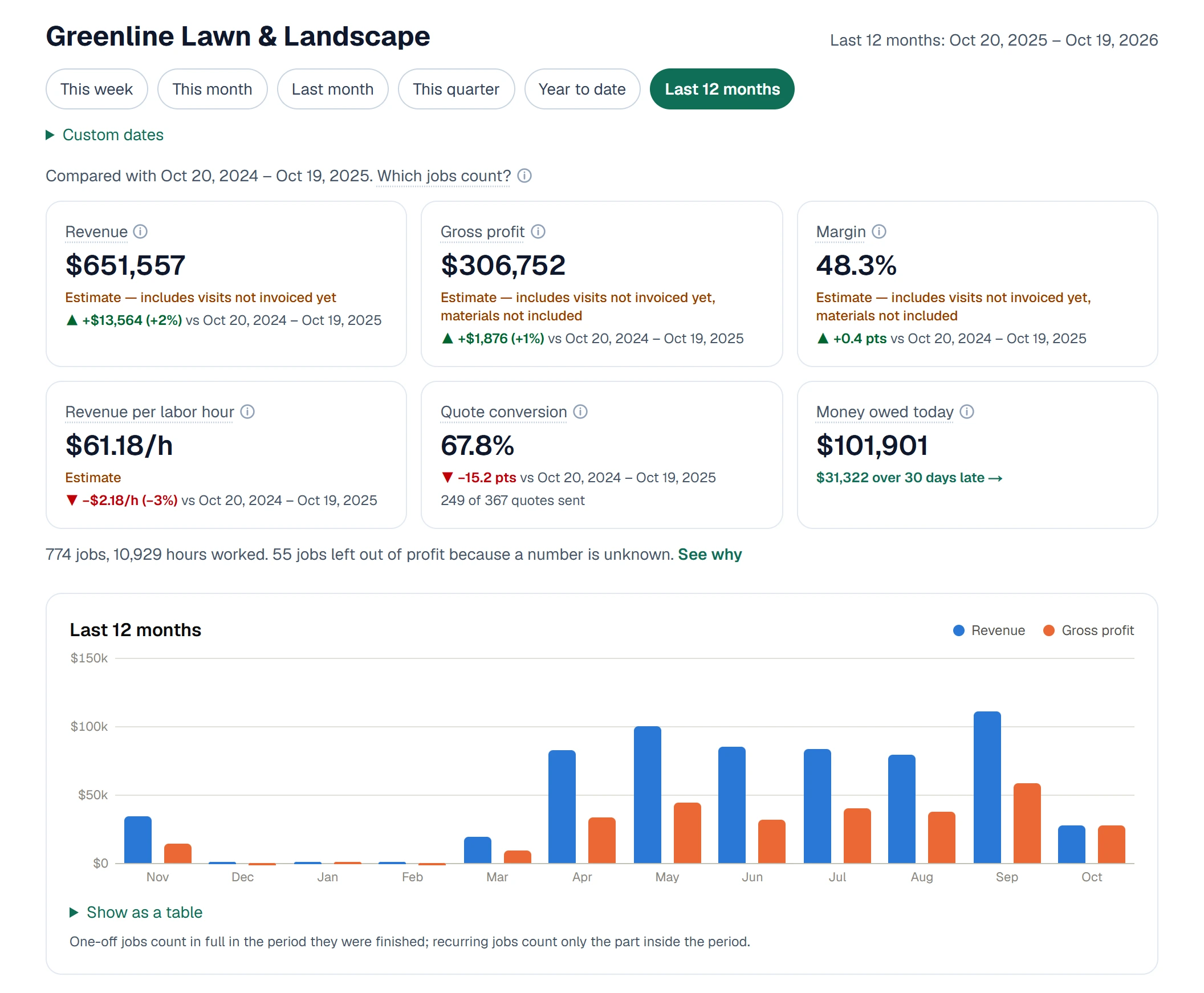
Crew Numbers reads the jobs, invoices and time already in your Jobber account and shows profit on every job, crew member, client and service. Connect it yourself in a few minutes. No setup call.
No card needed. Read-only: it never changes anything in Jobber.
 Click to open full size ↗
Jobber runs your day. Crew Numbers shows what it earned you.
Recurring work is a blind spot
Weekly mowing, cleaning and pool routes are most of your work, but job profit reports usually stop at one-off jobs. We work out profit on recurring jobs too, month by month.
Busy isn't the same as profitable
A $300 job that takes six hours instead of four looks fine on the invoice. See profit and revenue per labor hour on every job, so the slow ones stand out.
No more spreadsheets on Sunday night
No exporting, no copying into Excel, no bookkeeper building reports. Your numbers stay up to date as work is logged in Jobber.
What you get
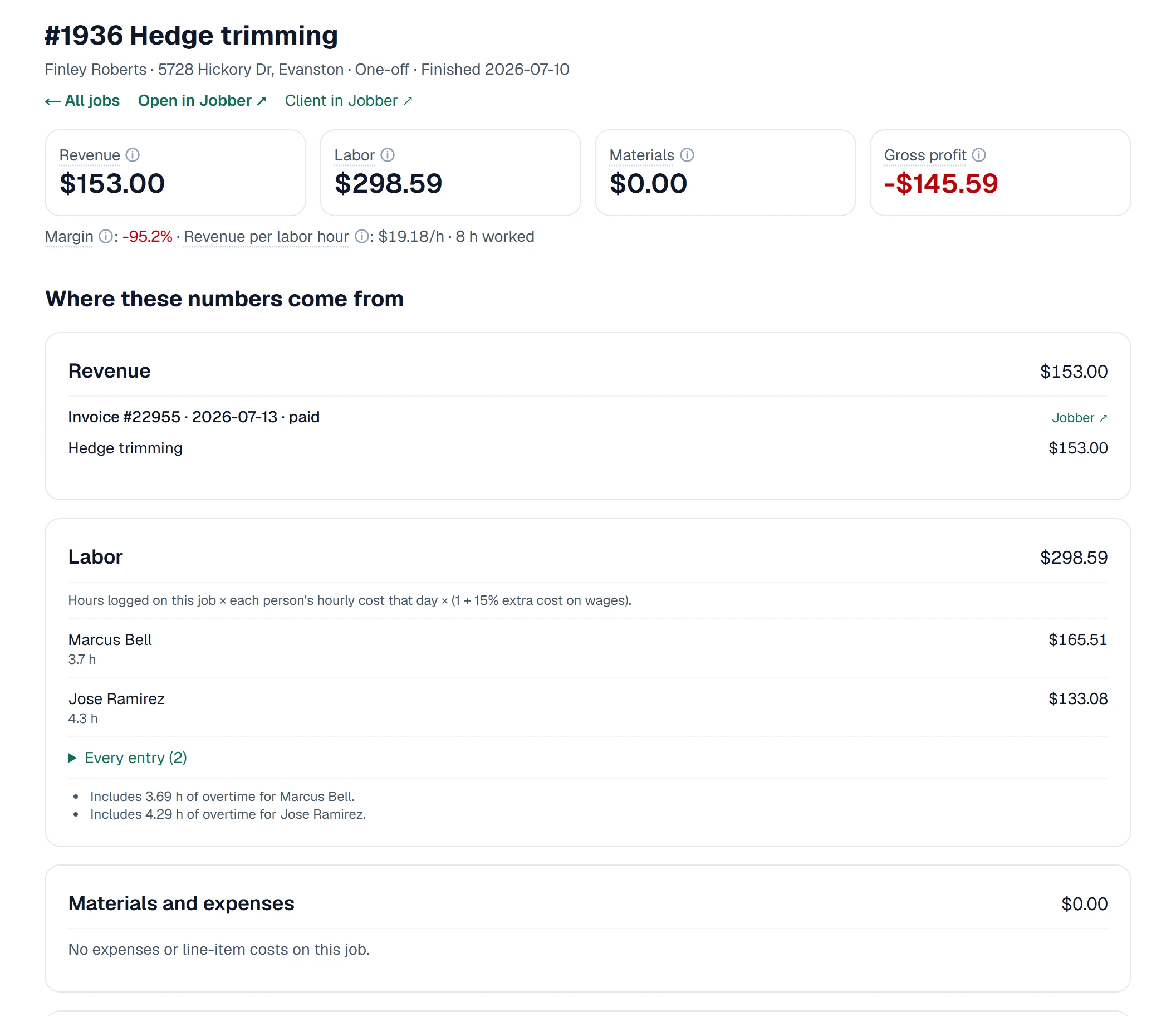
Profit on every job, with the math shown
Revenue from your invoices, labor from your crew's time (overtime included), materials from your expenses and line-item costs. Click any job to see exactly which invoice lines, hours and expenses made the number. This hedge trimming job brought in $153 and cost $298.59 in labor.
 Click to open full size ↗
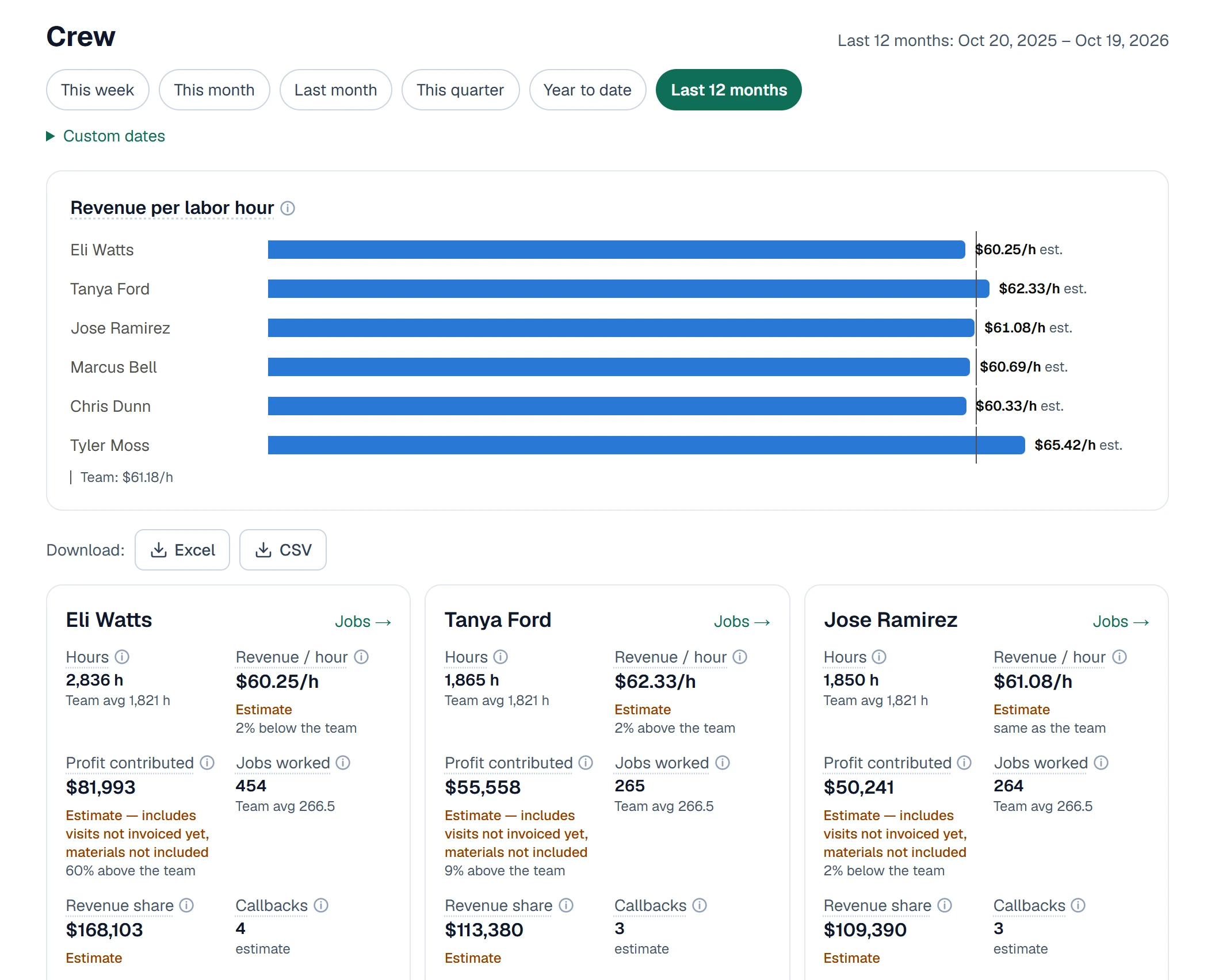
Know your best crew members
Revenue per labor hour for each person next to the team average, plus their hours, jobs and the profit they brought in. Your most and least profitable clients and services are a click away.
 Click to open full size ↗
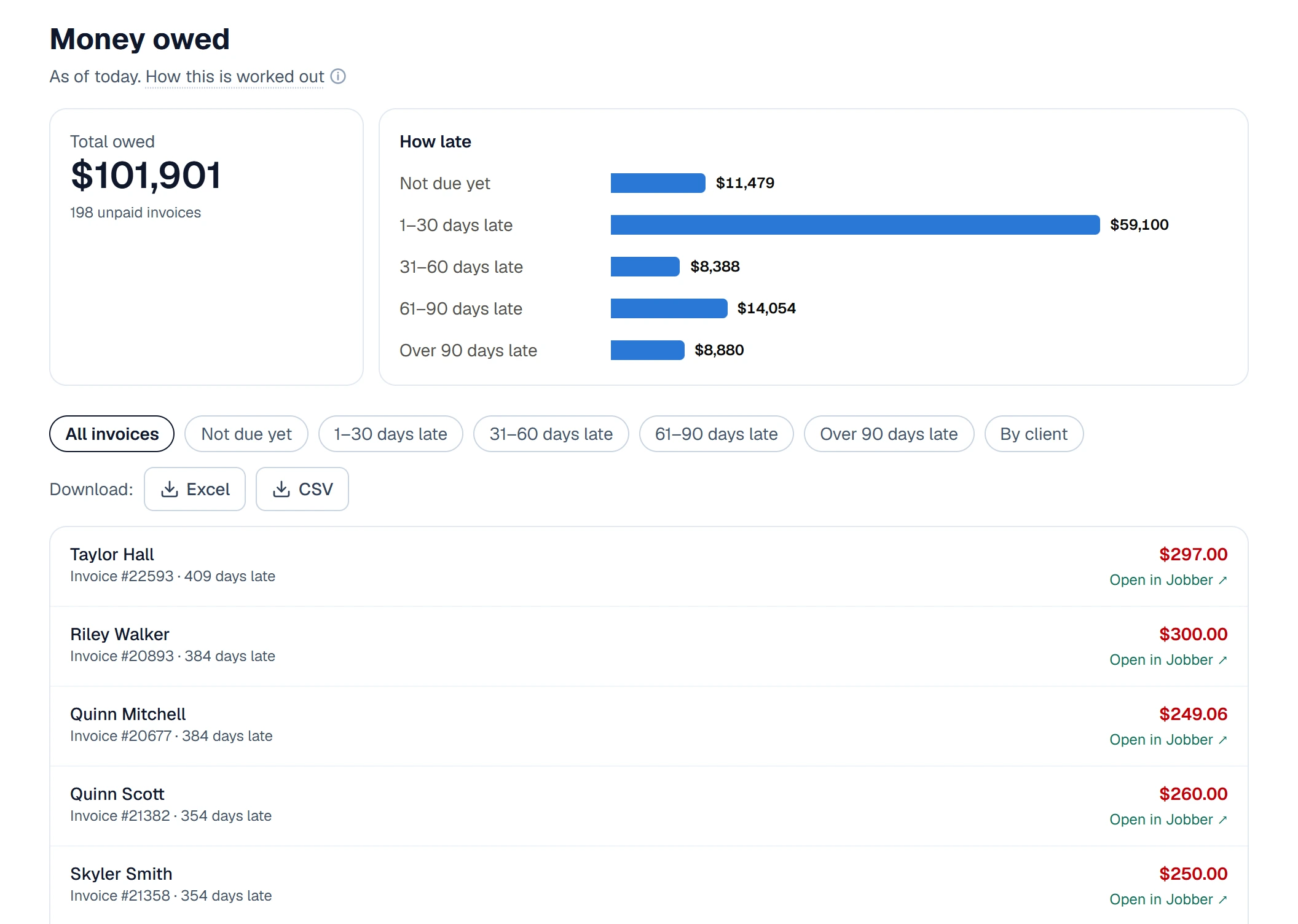
Chase the money you're owed
Every unpaid invoice, grouped by how late it is, with a link straight to the invoice in Jobber.
 Click to open full size ↗
Excel reports in your inbox
Every table downloads as Excel or CSV, or arrives by email every day, week or month. Columns never move, so your bookkeeper's spreadsheets don't break.
Screenshots use sample businesses, not real customers.
Set up in three steps
Step 1
Connect Jobber
Click Connect, approve access in Jobber, and your last two years of jobs, invoices and time come in.
Step 2
Answer three questions
What each person costs you per hour, the extra cost on wages (15% is typical), and your type of business. Skip any of them.
Step 3
See your numbers
Profit by job, crew member, client and service, updated as work happens in Jobber.
- Read-only. It never changes anything in Jobber.
- Honest numbers. Missing data shows as “unknown” with how to fix it, never as $0.
- Your data, your call. Disconnect any time; delete everything in one step.
Pricing
Every plan has everything. You pay by the size of your team. 14-day free trial, no card. Cancel in one click.
Up to 10 people
$39 / month
11 to 25 people
$69 / month
More than 25 people
$99 / month
Team size counts people who logged time or worked a visit in the last 90 days. Billed by Crew Numbers, separate from your Jobber subscription.
Questions
›Does it change anything in Jobber?
No. It only reads your Jobber data. Nothing you see in Jobber is ever changed.
›What does it read from Jobber?
Clients, jobs, visits, quotes, invoices, team members, time sheets and expenses. That's what it takes to work out profit.
›Why do I have to type in wages?
Jobber doesn't share what each person is paid with apps. You enter an hourly cost for each person once, and add a new rate with a start date when someone gets a raise.
›Which Jobber plans does it work with?
All of them. It works best on Connect, Grow and Plus, which track time and expenses. On Core, labor is estimated from scheduled visits and clearly marked as an estimate.
›How does it handle recurring jobs, fixed-price jobs and visits not invoiced yet?
Revenue always comes from your invoices, never counted twice. One-off jobs count in the month they're finished; recurring jobs count the part inside the dates you pick. Visits you haven't invoiced yet count at the price per visit and are marked as an estimate until the invoice goes out. When a number is missing, we say "unknown" and why, instead of showing $0.
›What happens to my data if I leave?
Disconnect any time. We stop reading from Jobber straight away, keep your numbers for 30 days in case you come back, then delete them. You can also delete everything at once from Settings.
›Is there a contract?
No. Month to month, cancel in one click. The 14-day free trial needs no card.
Want to know more?
Email us at hello@crewnumbers.com and a person will answer. Or read the help center to see how every number is worked out.